



How to open a Maybank Savings Account via M2U ID App?
|
1
|
Download M2U ID on Google Play Store or App Store  |
|
2
|
Prepare your eKTP, selfie photo and follow 5 easy steps open Maybank Savings account. |
|
3
|
Debit Card will be sent directly to your correspondence address and activate your Debit Card via M2U ID App. |
1
|
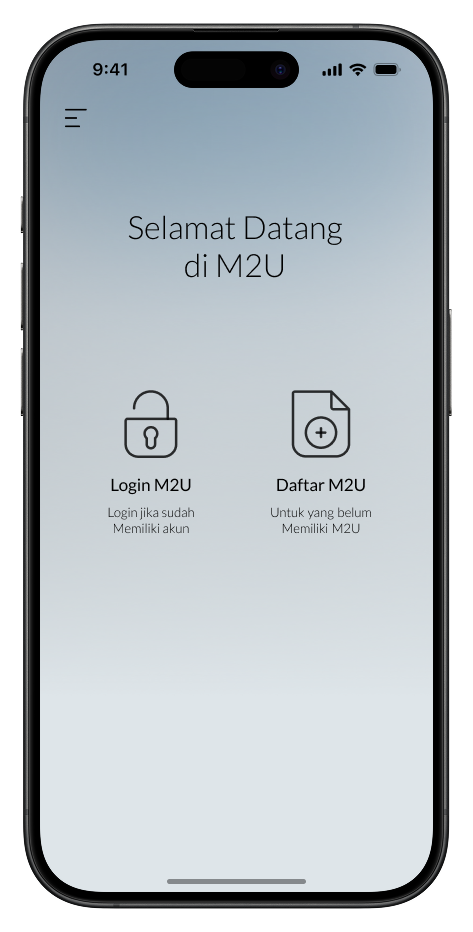
Select “Daftar Maybank2u”
|
 |
2
|
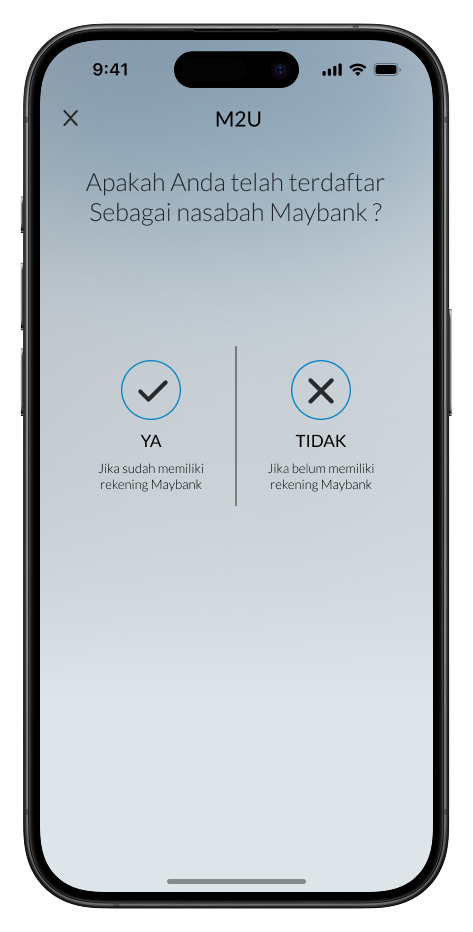
Select “Tidak” if you haven’t had any Maybank accounts
|
 |
3
|
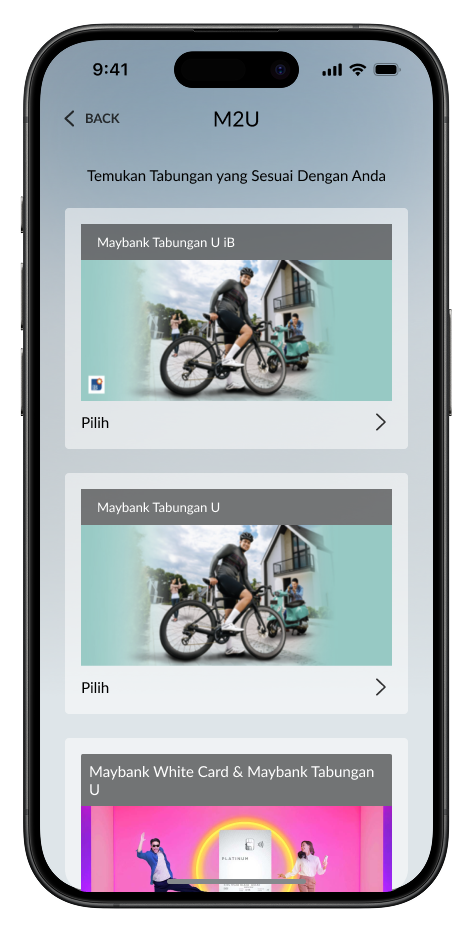
Select Shariah or Regular account
|
 |
4
|
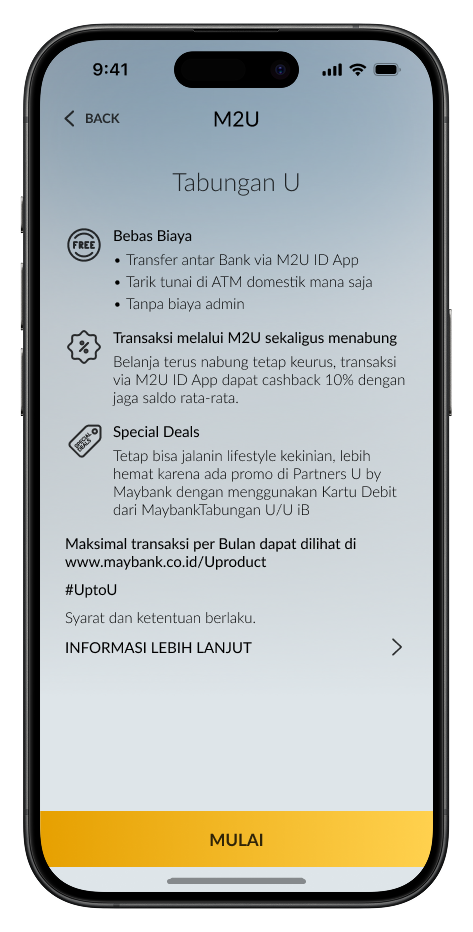
Read the benefits and the information about Maybank Tabungan U, then click “Lanjut”
|
 |
5
|
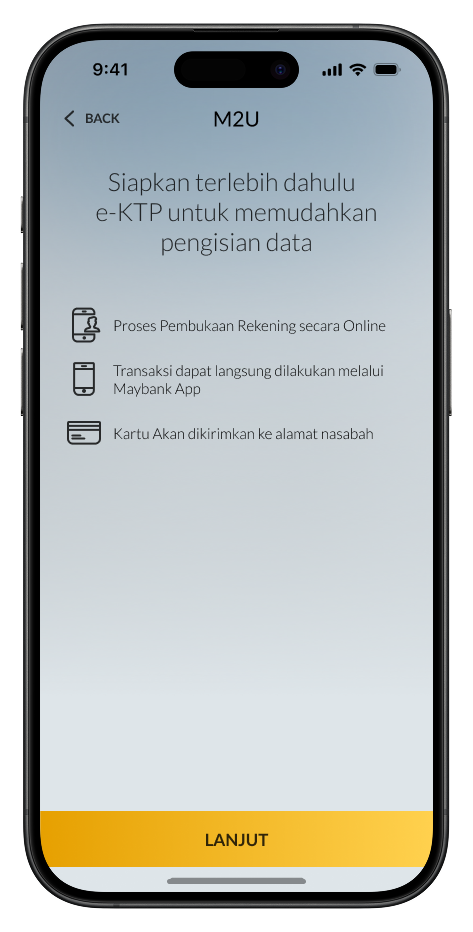
Prepare your e-KTP
|
 |
6
|
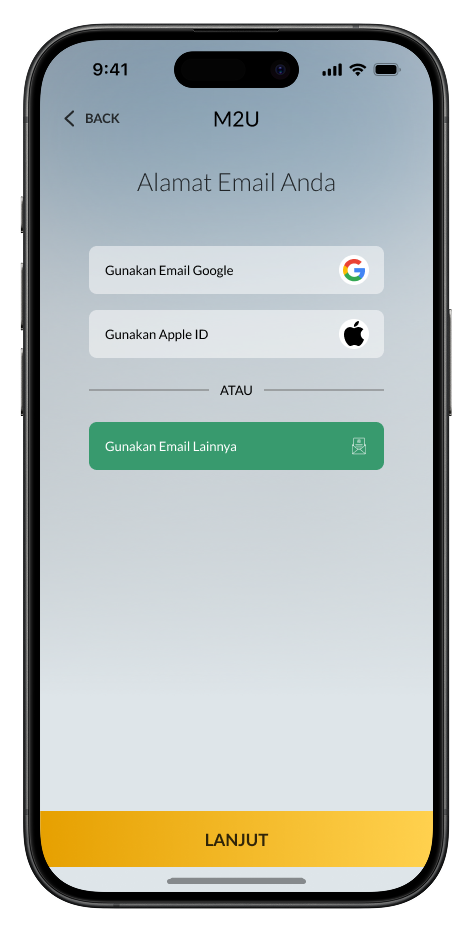
Select the email you would like to use
|
 |
7
|
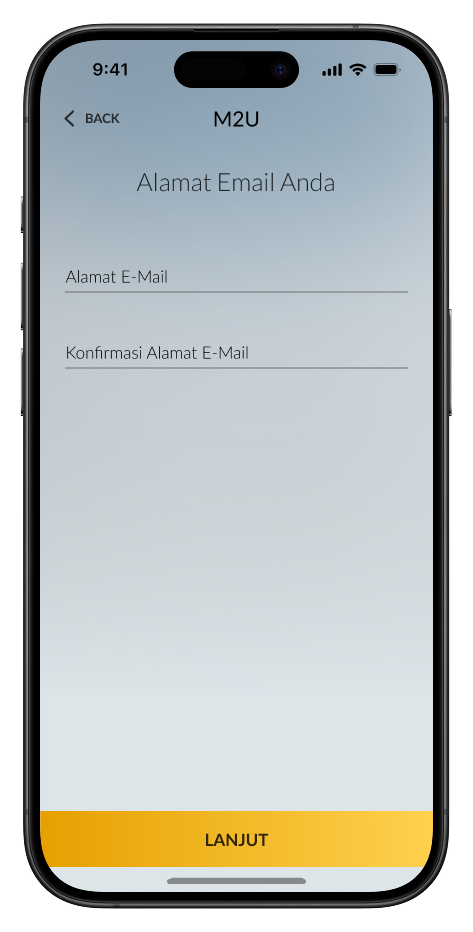
If you select “Gunakan Email Lainnya”, input your email manually, then click “Lanjut”
|
 |
8
|
Input your active phone number, tick the confirmation box, then click “Lanjut”
|
 |
9
|
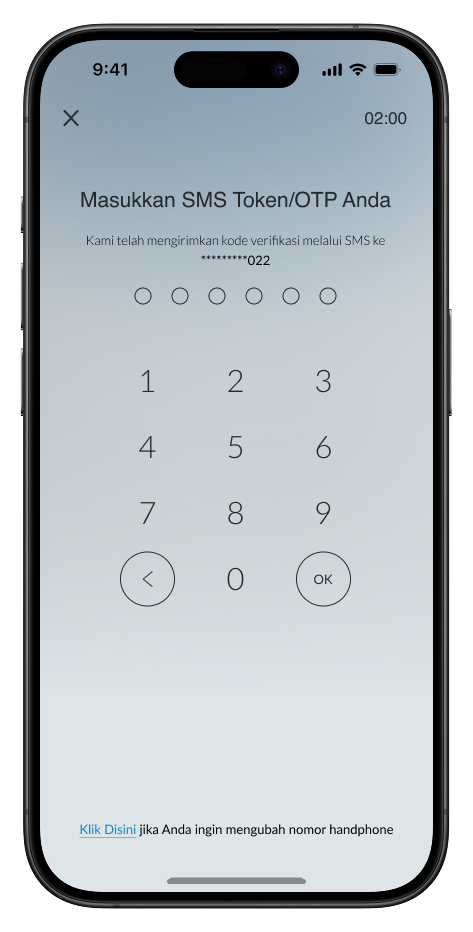
Input OTP code sent to your registered phone number. If you haven’t received the code, please wait until OTP sending time expired, then click “Kirim OTP” to resend
|
 |
10
|
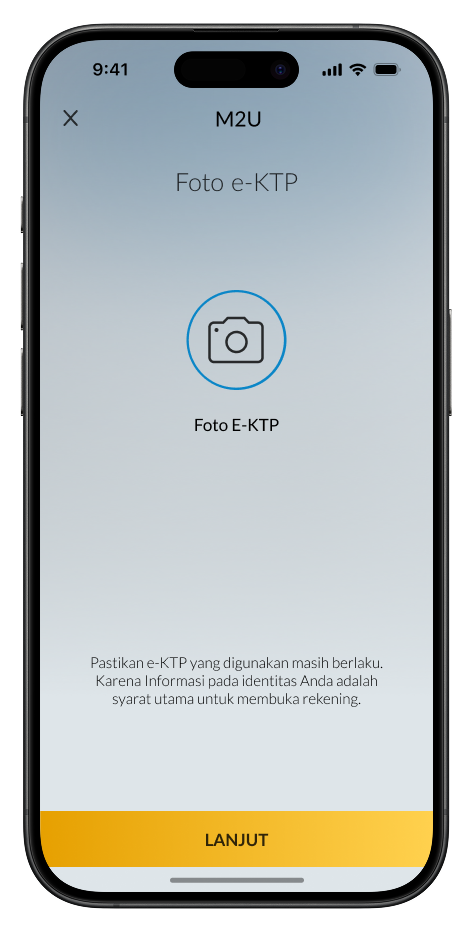
Prepare e-KTP and click “Lanjut”
|
 |
11
|
Place e-KTP inside the camera frame. Make sure e-KTP looks clear
|
 |
12
|
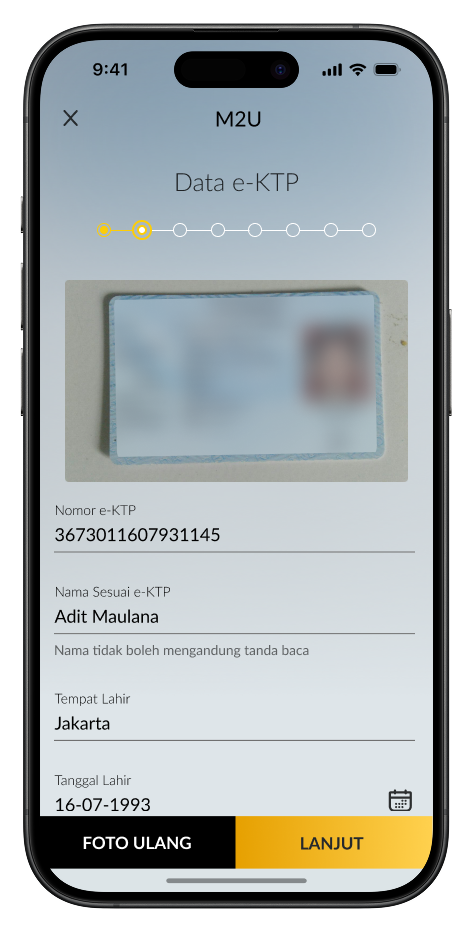
Complete your personal data based on your e-KTP. Make sure all data is correct, tick the confirmation box, then click “Lanjut”
|
 |
13
|
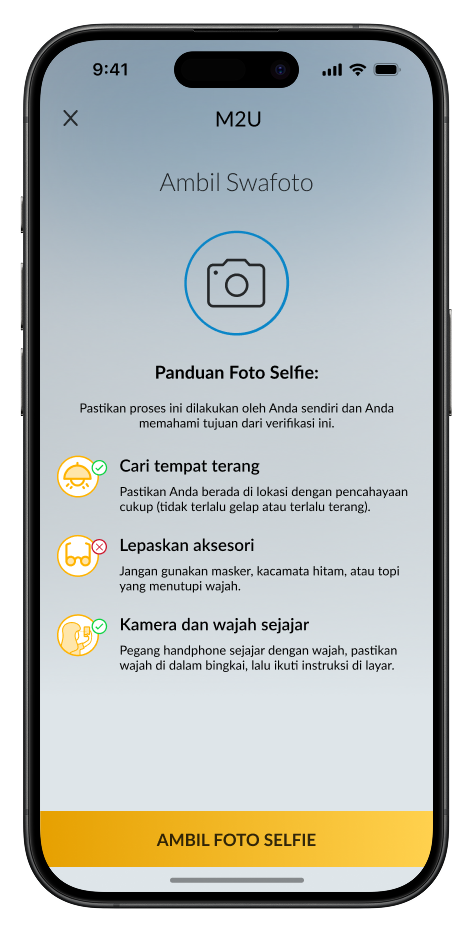
Prepare yourself for selfie verification
|
 |
14
|
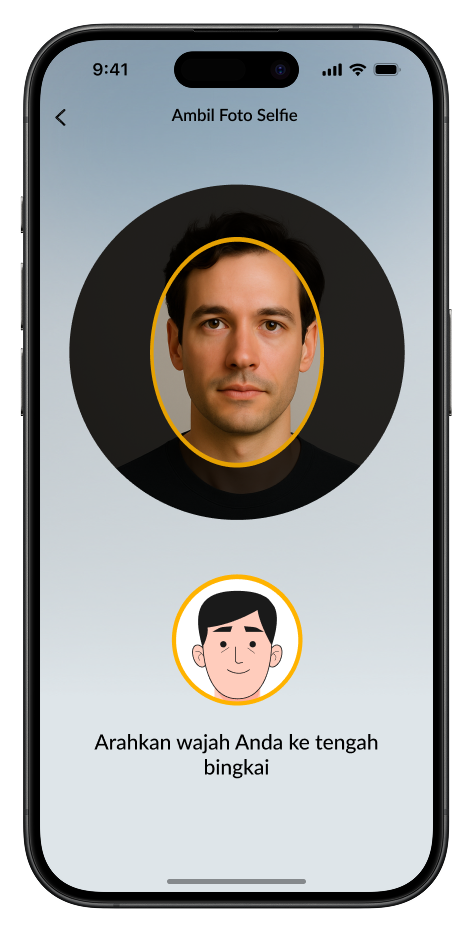
Follow each instruction appeared on the screen, then click “Lanjut” to start the selfie process
|
 |
15
|
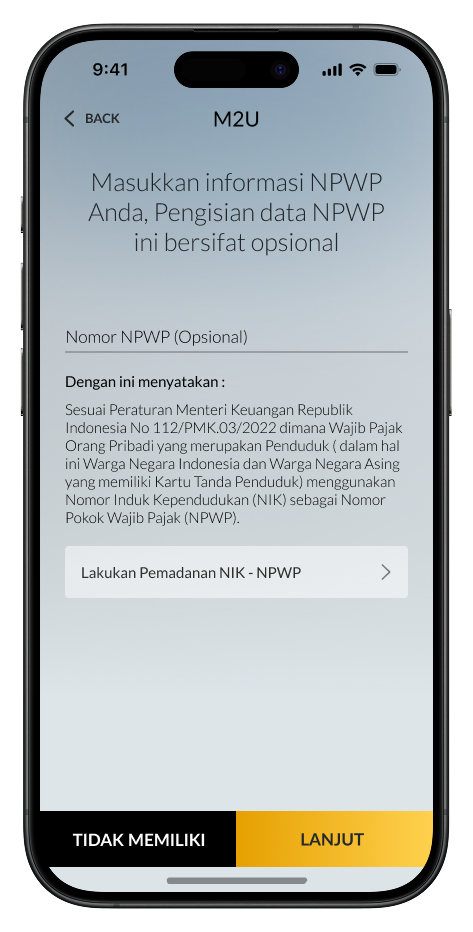
Input NPWP (if there’s any), then click “Lanjut”
|
 |
16
|
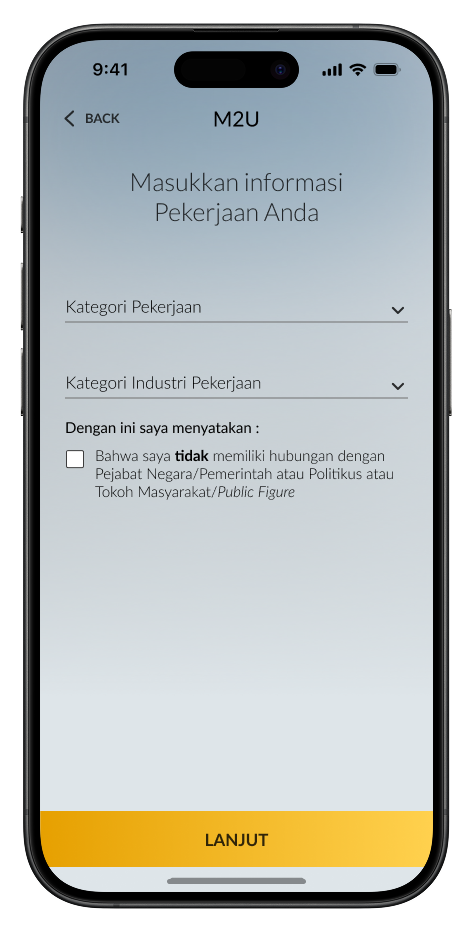
Complete your work information, then click “Lanjut”
|
 |
17
|
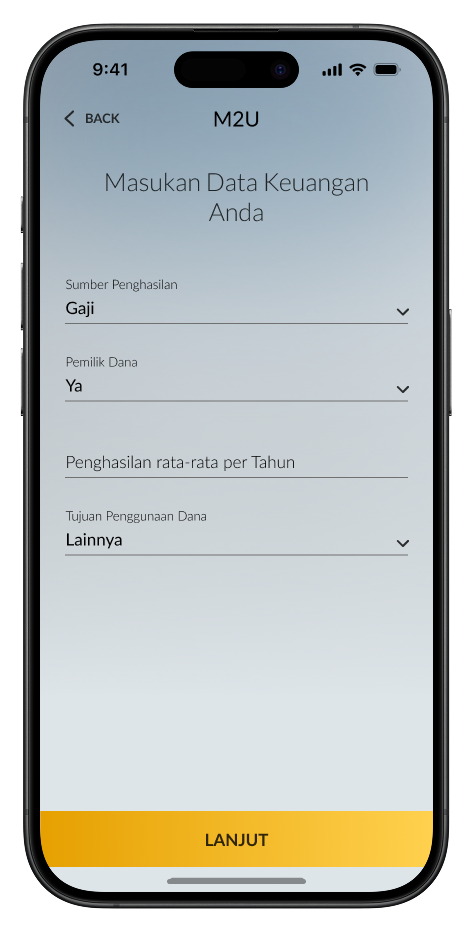
Complete your financial information, then click “Lanjut”
|
 |
18
|
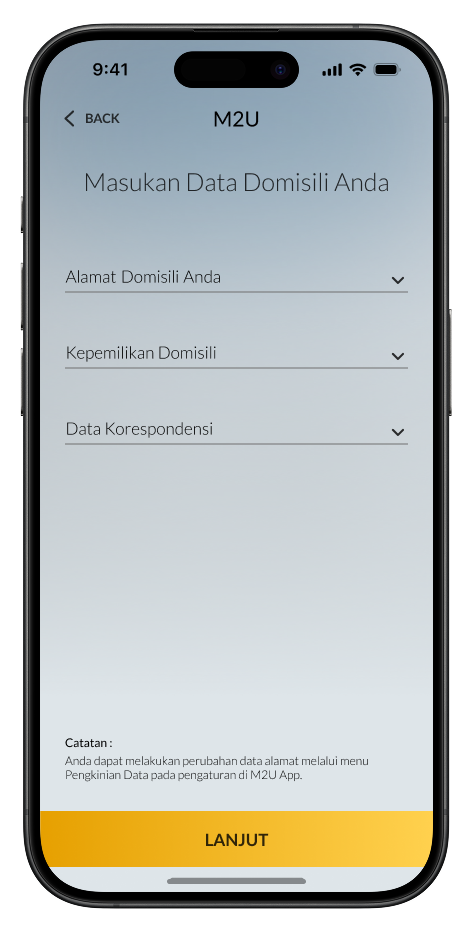
Input your residential address, then click “Lanjut”
|
 |
19
|
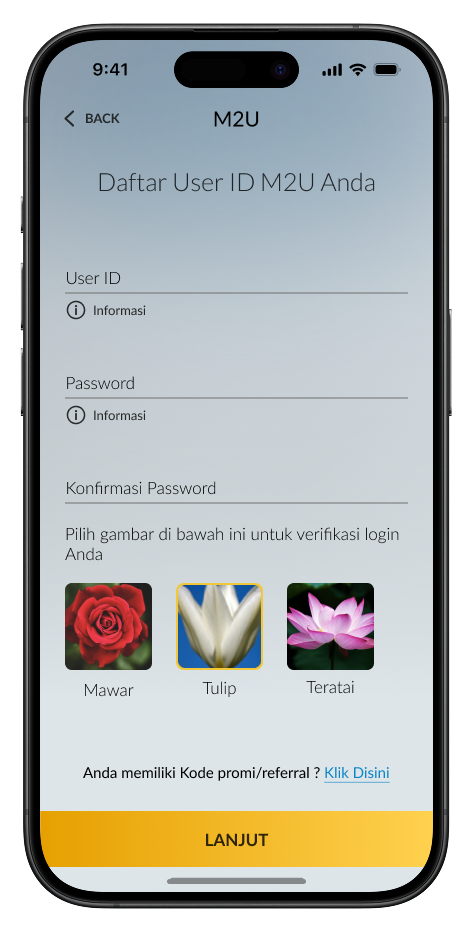
Create a User ID & Password (8–20 characters, alphanumeric, without symbols), and select a security image
|
 |
20
|
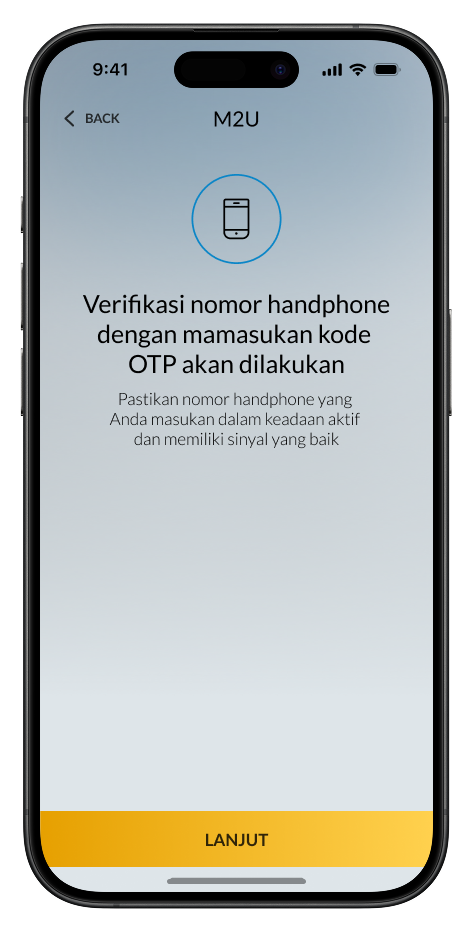
If previous phone number verification failed, redo the SMS OTP verification at this step, then continue
|
 |
21
|
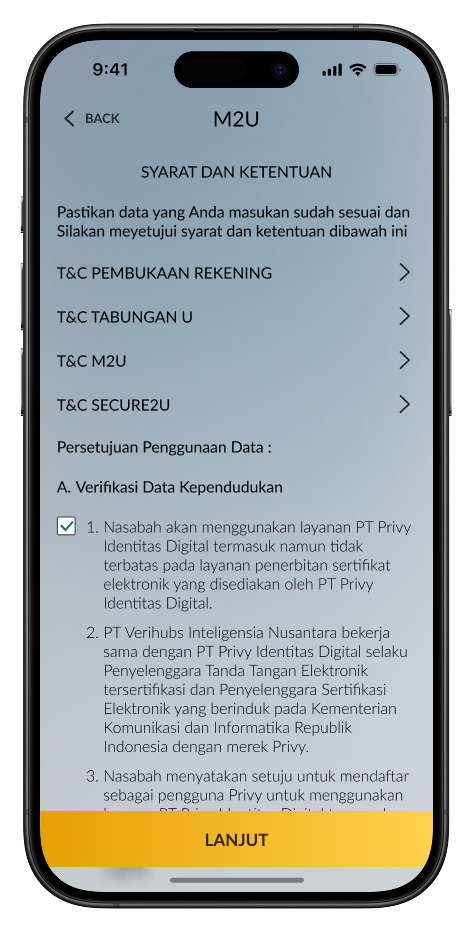
Check again the data you have filled out. Read & understand the terms & conditions for Maybank Tabungan U and M2U ID App. Tick the confirmation box to continue
|
 |
22
|
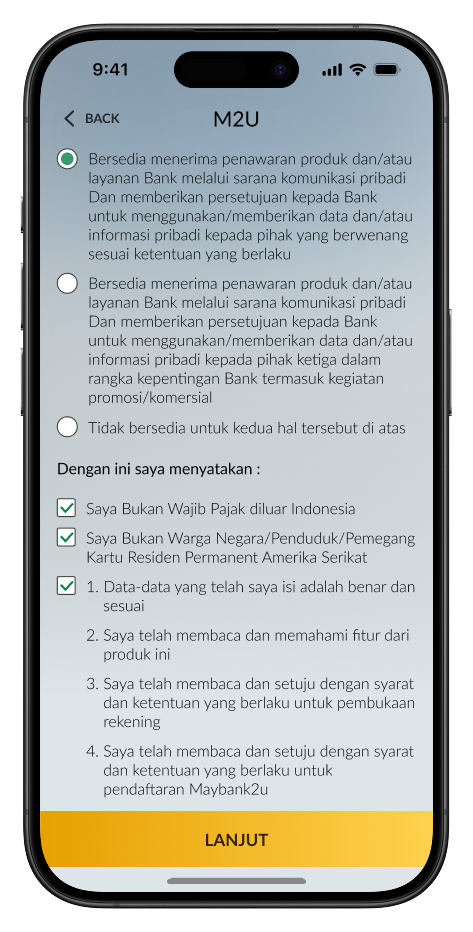
Read & understand the terms & conditions. Tick the Customer’s statement for agreement, then click “Lanjut”
|
 |
23
|
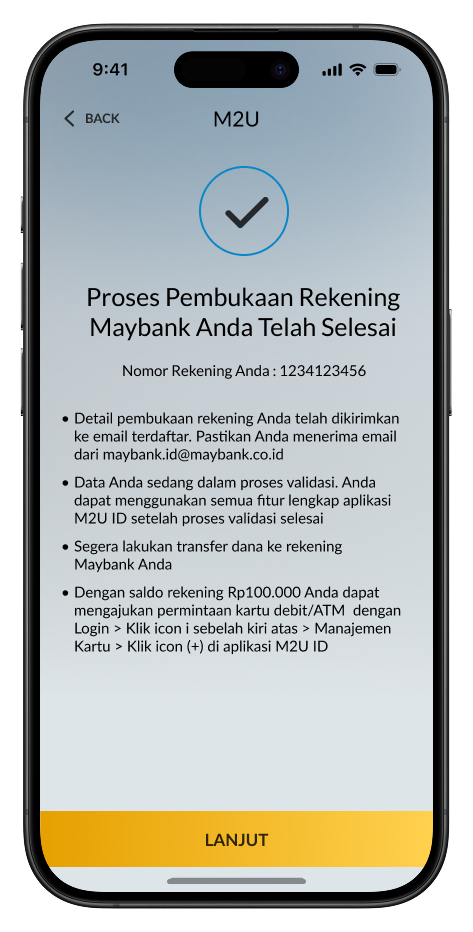
Account opening for Maybank Tabungan U is successful. Activate U Goal Saver feature and apply for Maybank Debit Card to start using the service completely
|
 |
How to activate Maybank Debit/ATM Card via M2U ID App
After you receive the Maybank Debit/ATM Card, activate your card with the following steps:
1
|
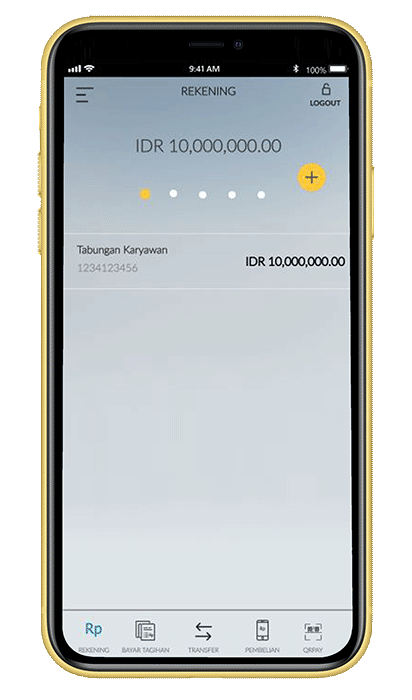
Click the menu icon on
the upper left of your Account Screen
|
 |
2
|
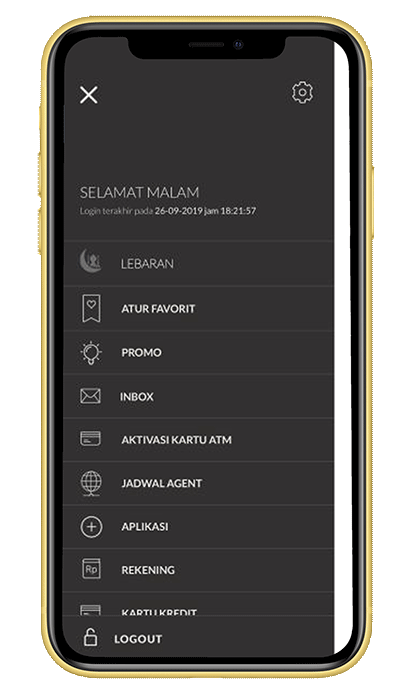
Click “ATM Card
Activation”
|
 |
3
|
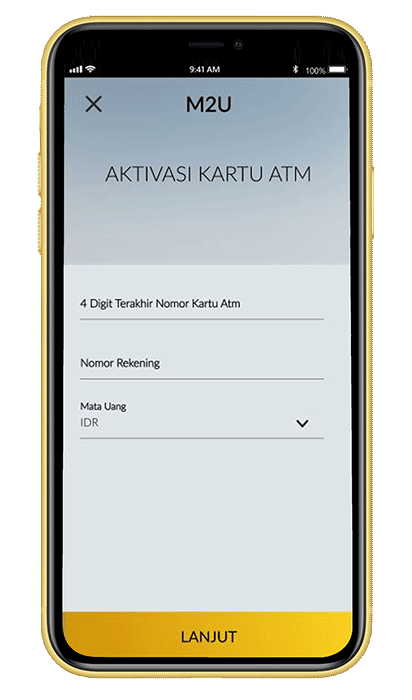
Input last 4 digits of
Maybank Debit/ATM Card, Account Number and your Account
Currency
|
|
|
4
|
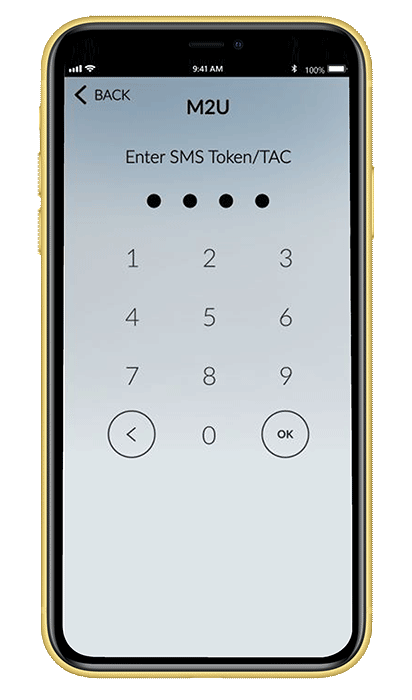
Enter the SMS Token/TAC that has been sent to your registered phone number Make sure your mobile network signal is good to get
SMS. OTP SMS delivery is highly dependent on your
telecommunication provider.
|
 |
5
|
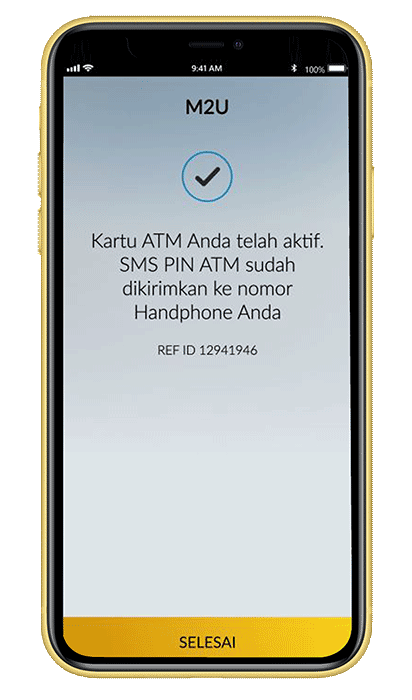
Your ATM card has been
successfully activated
|
 |
6
|
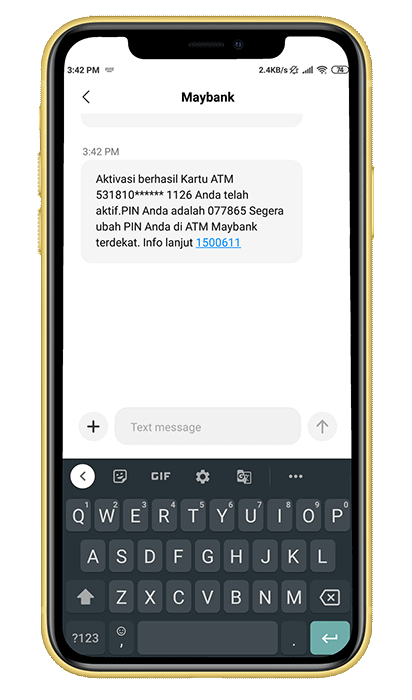
You will received your
ATM pin on your registered phone number
|
 |
Mobile Device
- Make sure your mobile device is not jailbroken or rooted.
- Mobile device operating system at least iOS 9.0 or higher / Android 4.4.2 or higher.
- Make sure the availability of mobile device storage is at least 150 MB.
- Make sure you have a stable internet network, it is recommended to use a WIFI network for a more stable connection.
- Make sure your mobile network signal is good to get SMS. Sending SMS One Time Password (OTP) is highly dependent on your telecommunications provider.
Open Opening Account Information
- Opening a Maybank Savings Account via the M2U ID App is only available for Indonesian Citizens (WNI).
- Prepare your eKTP and NPWP
- Make sure you enter the correct eKTP data and photo which registered on Dukcapil.
- Make sure the selected user ID is still available and has not been used by anyone else.
- Create a user ID of at least 8 characters and a maximum of 20 characters which can consist of a unique combination of initials, names, dates or other numbers that are easy to remember
- Verification via video call with Maybank Customer Care may still be required if your
data does not match.
Verification Guide via Video Call
Security Info
Anticipation of security using technology will not run perfectly without participation or commitment from customers. Always carry out the principle of prudence when making transactions:
- Create a password of at least 8 characters and a maximum of 20 characters consisting of a combination of numbers, uppercase letters, lowercase letters and special characters.
- Avoid using your name and date of birth in your password.
- Maintain the confidentiality of your password, even with staff at our bank.
- Maintain the confidentiality of your TAC (SMS Token). Do not share the contents of SMS Tokens to others.
- Make sure that you have logged out after using M2U ID Web.
- Avoid using Internet Banking through publicly owned computers, especially at Internet Cafes due to the possibility of "keyboard tabbing", a program that will read and store your user ID and password.
- Make sure the computer you are using is free of virus by always updating your personal anti-virus with the latest version.
- Avoid downloading files with unclear titles and sources.
- Always activate your smartphone lock so that it cannot be accessed by others.
Need Help ?


1
|
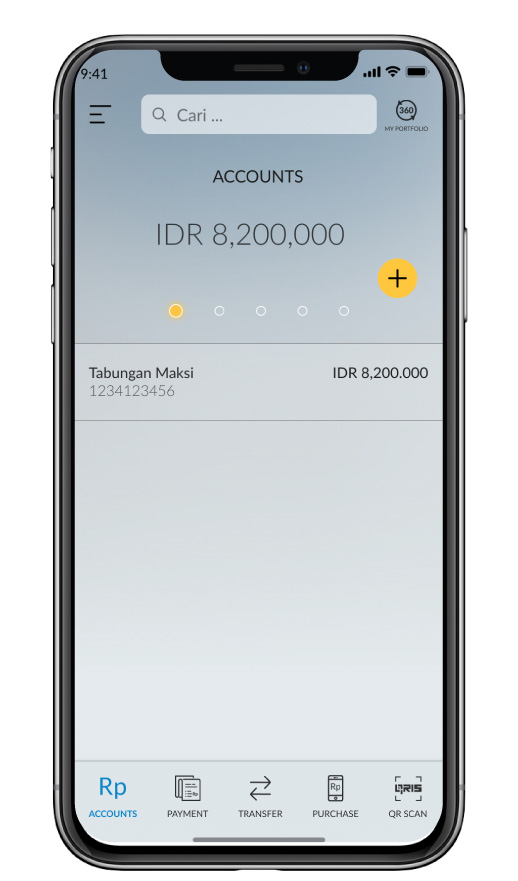
Select (+) on the account dashboard
|
 |
2
|
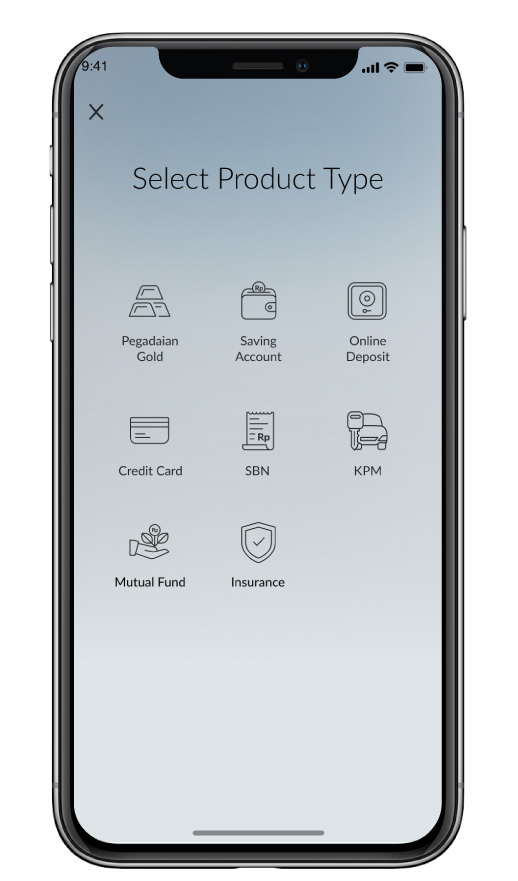
Select Savings Account
|
 |
3
|
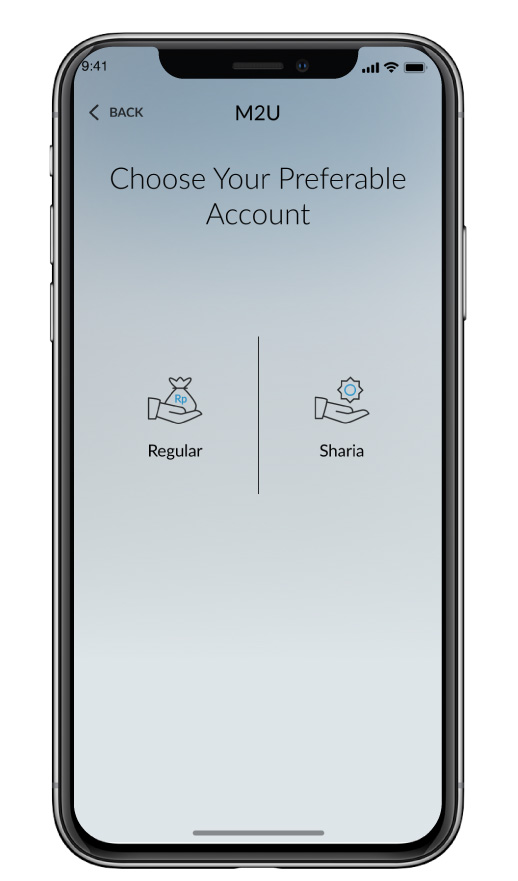
Select Shariah or Regular account
|
|
|
4
|
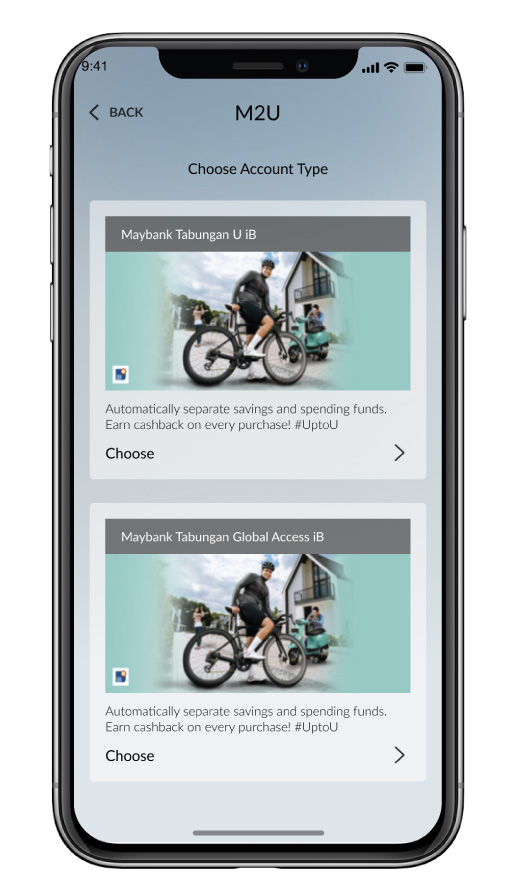
Select Savings products
|
 |
5
|
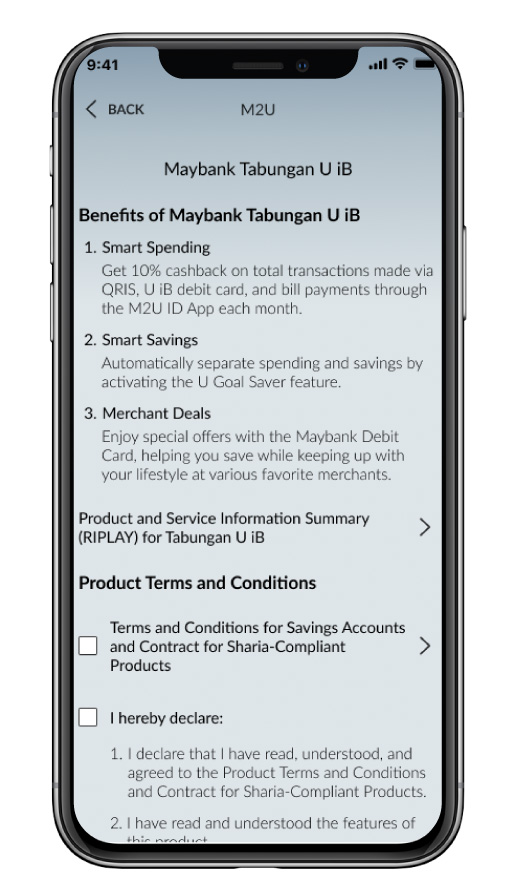
Read & undertstand the benefits and the terms & conditions for Maybank Tabungan U and M2U ID App. Tick the confirmation box to continue
|
 |
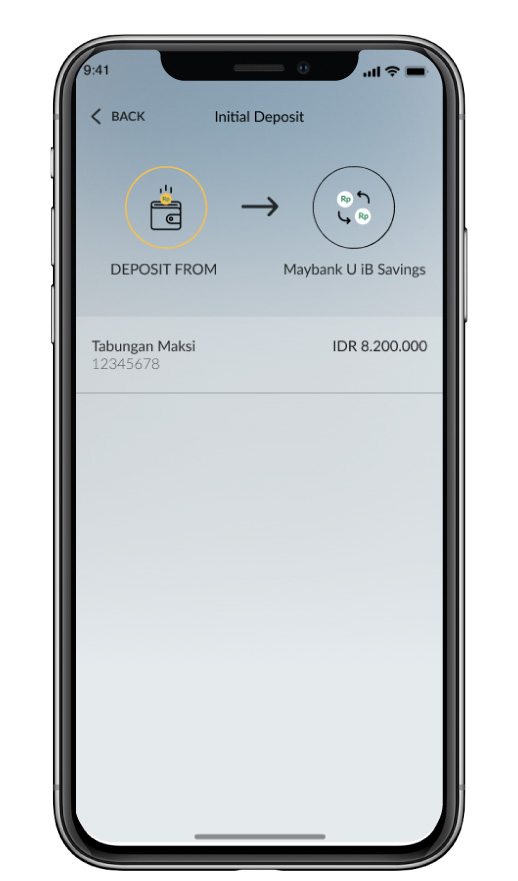
6
|
Select source of account
|
 |
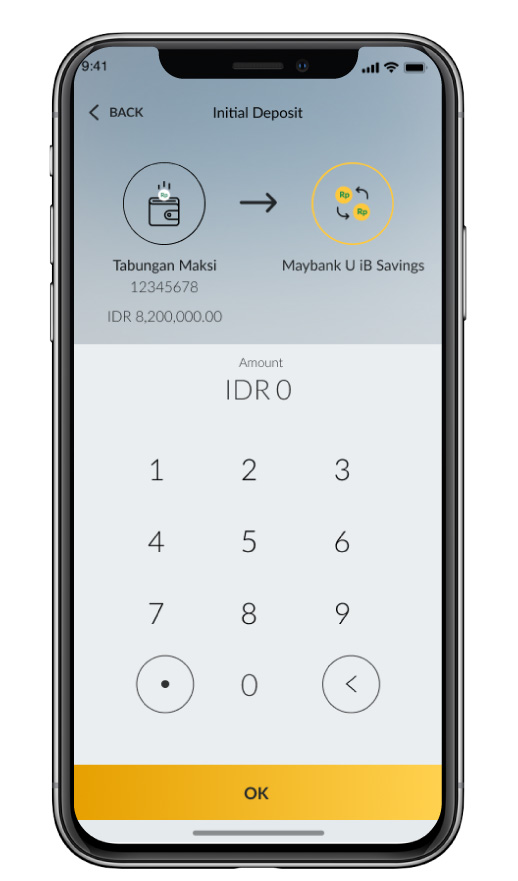
7
|
Input the amount for initial deposit
|
 |
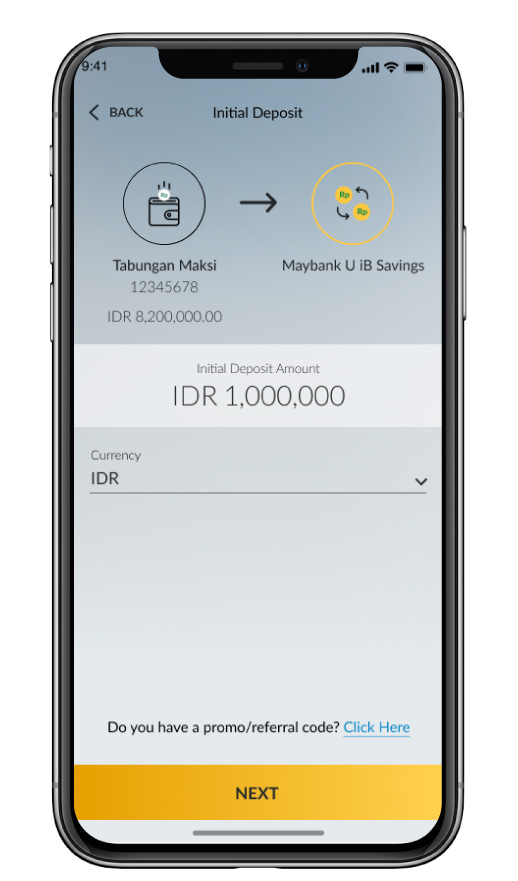
8
|
Select IDR currency
|
 |
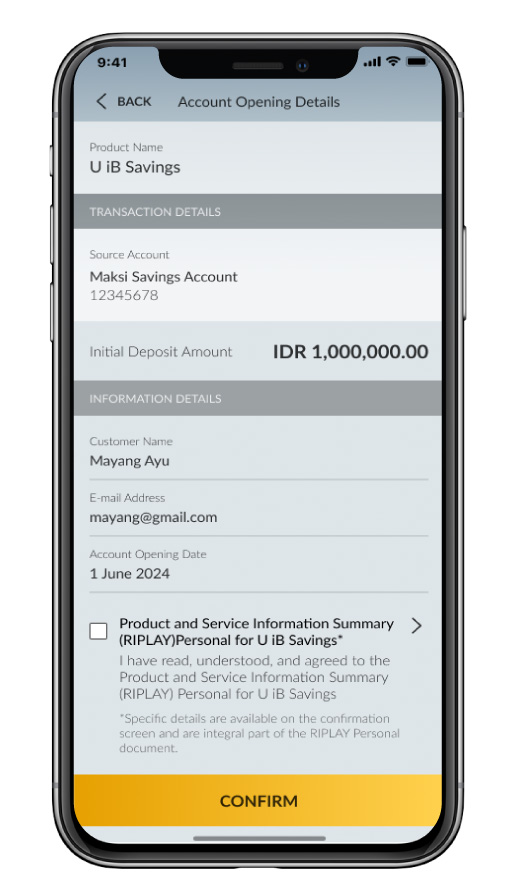
9
|
Check and confirm transaction
|
 |
10
|
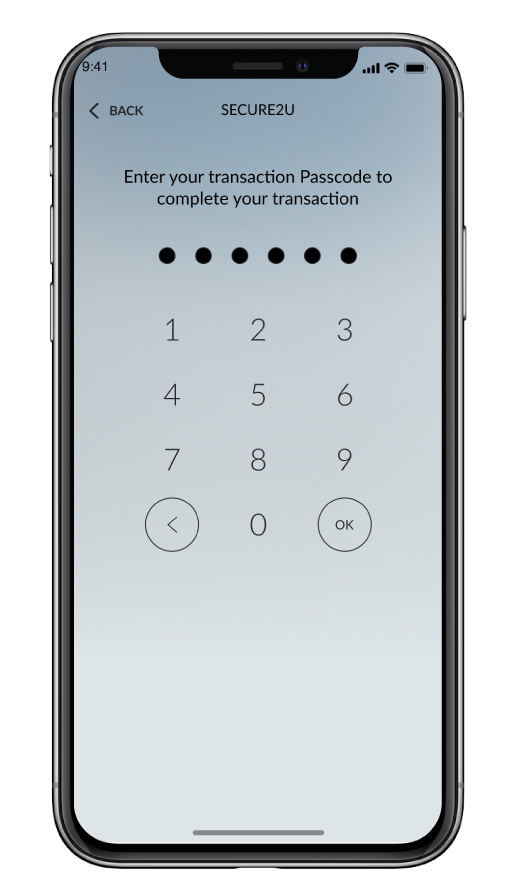
Input Secure2u passcode
|
 |
11
|
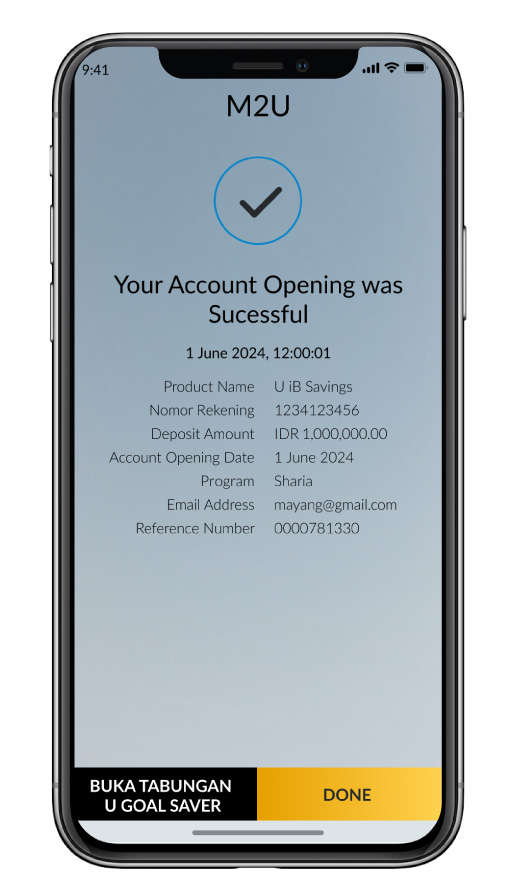
Account opening for Maybank Tabungan U is successful
|
 |

SHARIA
Halal Ecosystem
Halal Indo Expo 2026
Muslim Life Fest 2026
Islamic Banking as a Service (iBaaS)
Sukuk Investment
Sharia Mutual Fund
Shariah Wealth Management
Simpanan Syariah
Shariah Promotion Program
Hajj and Umrah
Zakat, Infaq & Sadaqah
Sharia Business
Property Financing iB
Instant Financing iB
Car Financing iB
Motorcycle Financing iB
Profit Sharing
Shariah Leaders Forum
Halal Indo Expo 2026
Muslim Life Fest 2026
Islamic Banking as a Service (iBaaS)
Sukuk Investment
Sharia Mutual Fund
Shariah Wealth Management
Simpanan Syariah
Shariah Promotion Program
Hajj and Umrah
Zakat, Infaq & Sadaqah
Sharia Business
Property Financing iB
Instant Financing iB
Car Financing iB
Motorcycle Financing iB
Profit Sharing
Shariah Leaders Forum
OTHERS
Apply Online
Customer Support
Japan Desk
KPR Maybank Payroll
Promotion
Customer Support
Visit Malaysia
News & Announcements
KPM Privilege
Locate Us
Refer a Friend
Fees & Charges
Rates Information
Maybank Basic Credit Interest Rate
Customer Education
External Link
Security Privacy and Policy
Social Media Community Guidelines
Customer Support
Japan Desk
KPR Maybank Payroll
Promotion
Customer Support
Visit Malaysia
News & Announcements
KPM Privilege
Locate Us
Refer a Friend
Fees & Charges
Rates Information
Maybank Basic Credit Interest Rate
Customer Education
External Link
Security Privacy and Policy
Social Media Community Guidelines


Select Country





Please wait a moment...

Corporate Online Services